Employee directory template: the three columns that matter
Most templates give you fourteen columns. Eleven of them your systems already know. Here are the three worth asking a human for, and a builder for the rest.

You can build a decent employee directory in about twenty minutes with a spreadsheet. That's not a compromise, it's the right first move for a small team, and anyone selling you software before you've tried it is selling too early.
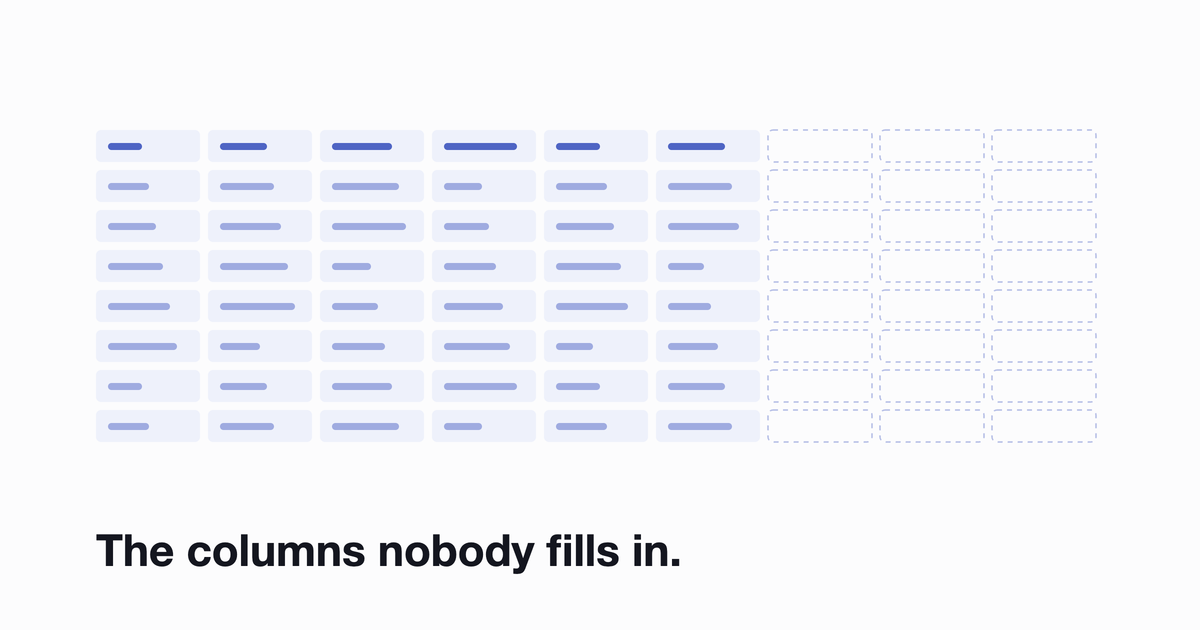
Most templates you'll find hand you fourteen columns and leave you to fill them in. That's backwards. Eleven of those columns describe things your systems already know, and asking people to type them is the reason the sheet dies by month three. Three columns matter, nobody has them, and they're the ones worth asking for.
What actually goes in an employee directory
Directory fields split into three tiers, and the split matters because each tier is filled by someone different.
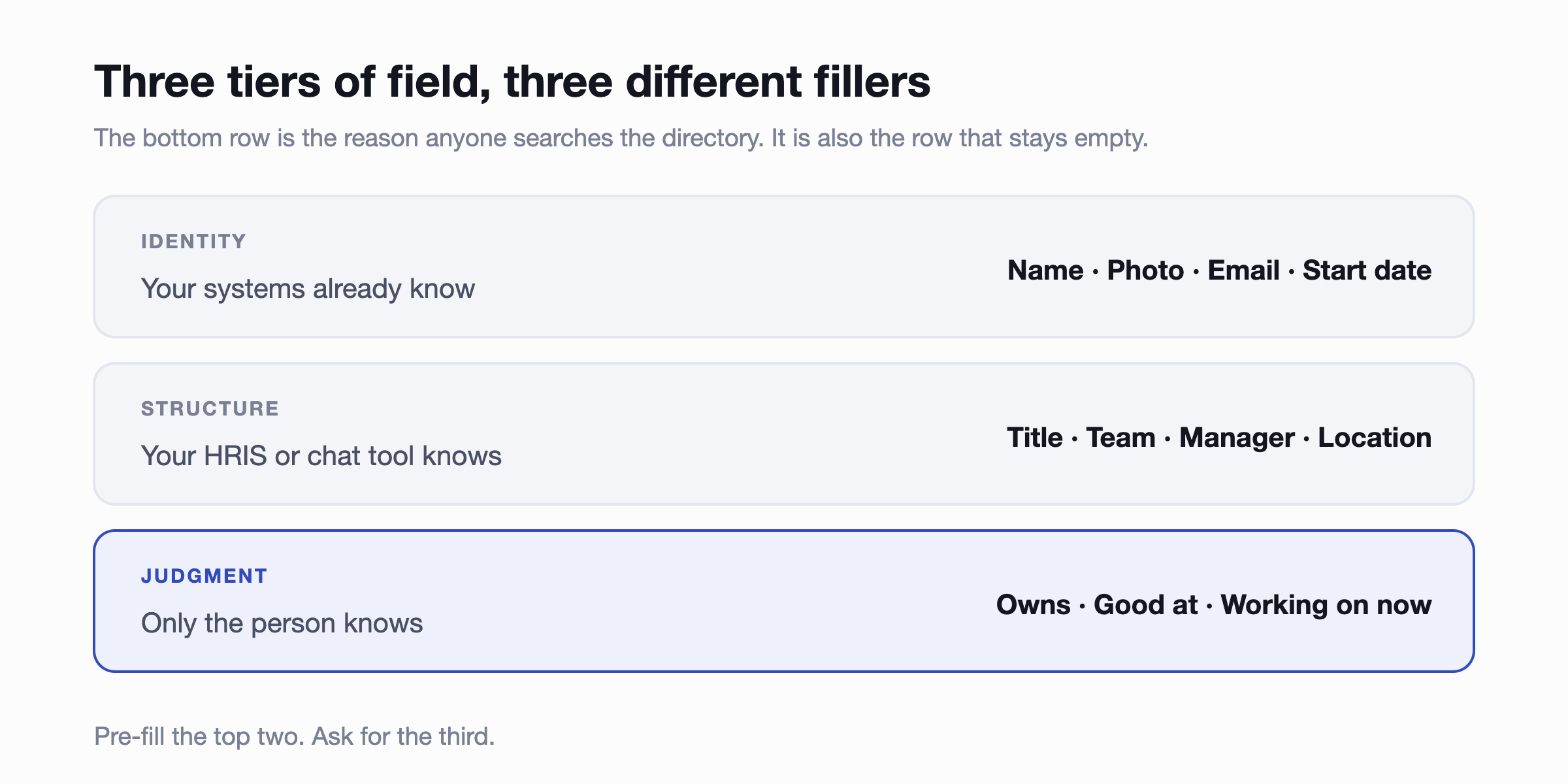
Identity is the easy tier. Name, photo, work email, start date. Every one of these already exists in your payroll system or your chat tool, so nobody should ever be typing them into a form.
Structure is title, team, manager, location and time zone. Also already known, usually by whoever runs onboarding. Still not worth asking people for.
Judgment is the tier that makes a directory worth opening: what this person owns, what they're good at, and what they're working on now. No system knows any of it. It has to come from the person, and it's the only tier where asking is justified.
The three columns nobody fills in
Those judgment columns are, predictably, the ones that stay blank. Which is a problem, because they're the reason anyone searches a directory in the first place. Nobody looks up a colleague to find out their start date. They look them up to work out whether this is the person to ask.
Three things make the difference between a blank column and a filled one.
- Ask for one thing, not twelve. A form with fifteen empty fields gets abandoned. A single question about what you own gets answered.
- Ask at the right moment. Week one, when someone is still in the mood to set things up, or right after they've joined a new project.
- Show the answer being used. If someone gets found because they listed a skill, they'll fill in the next field. If nothing ever happens, they won't.
Build your template
Tick what you need. The defaults are the eleven a system should fill plus the three worth asking for. Add nothing else until somebody actually asks, because every extra column is a column that can go stale.
Paste it into row 1 and you have a directory. Copy comes across tab-separated, so it lands in separate columns rather than one squashed cell.
Four rules that keep it alive longer
- One owner. Not a team, one person. Shared ownership of a spreadsheet means nobody owns it.
- Pre-fill everything you can. Export what your chat tool or payroll system already holds. Nobody should type their own start date.
- Put the link where people already are. Pinned in a channel, not filed in a drive folder three levels deep. A directory nobody can find is worse than no directory, because you'll believe you have one.
- Diarise a review. Once a quarter, fifteen minutes, check leavers and role changes. If you skip it twice, the spreadsheet has told you something.
When the spreadsheet stops working
Every spreadsheet directory has a shelf life. Knowing roughly where you are on it saves you from the version where you find out the hard way.
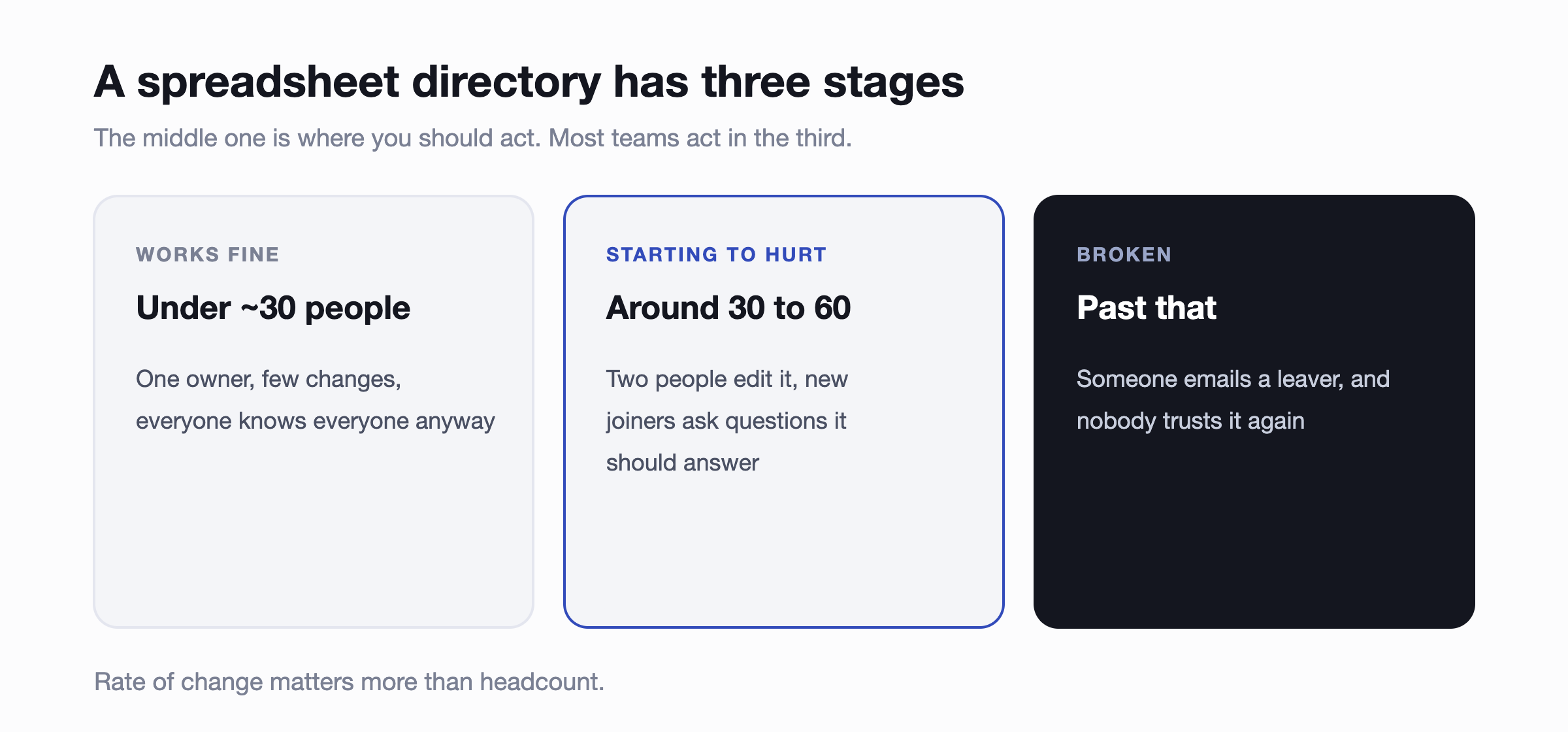
The middle stage is the one to act on, and almost nobody does, because the spreadsheet still technically works. The signal isn't that it's wrong. It's that two people are editing it and neither is sure which version is current.
The third stage announces itself. Someone emails a person who left two months ago, or a new hire is sent to the wrong person for an approval. After that, people stop checking the directory and go back to asking in the channel, which is the cost you were trying to avoid.
For scale: the McKinsey Global Institute's 2012 report on social technologies estimated knowledge workers spend around 20 percent of the week searching for and gathering information. That figure is fourteen years old and covers far more than finding colleagues, so treat it as an order of magnitude rather than a measurement. The direction is the useful part.
Common questions
Spreadsheet or Notion?
Notion is nicer to look at and slightly harder to keep current, because the friction of editing is higher. Both have the same fundamental problem: somebody has to maintain them. Pick whichever your team already opens.
What about privacy?
Keep personal phone numbers and home addresses out of a shared spreadsheet entirely. There's no permission model in a shared sheet, so anything in it is visible to everyone with the link, and links get forwarded. Work contact details and role information are fine. Anything else belongs in your HR system.
Should we include photos?
Yes, and it's the single most useful field for a remote or hybrid team. Recognising a name in a thread is most of what a directory does in the first month.
Do we need to include everyone?
Include contractors and long-term freelancers if people need to reach them. A directory that's missing a third of the people you work with teaches people not to check it.
Where to start
Build the template, pre-fill the first two tiers from what you already have, and ask each person one question rather than fourteen. That gets you a directory this week for nothing.
When the review starts getting skipped, or when two people are editing the same file, that's the moment to move to something that maintains itself rather than the moment to try harder. A tool that syncs from your chat tool or HRIS removes the top two tiers of work entirely and prompts people for the third, which is what Linky does for more than a thousand HR teams.
If you're already at that point, we wrote about the two reasons directories go unused and what to check before buying one. There's also a walkthrough of building the org chart side, and the wider question of which HR admin is worth automating first.