Employee directory software: two reasons nobody uses yours
Directories fail in two ways. They go stale, or they hold nothing worth searching. Both end with everyone asking in the channel instead.

Most companies already have an employee directory. It's a page on the intranet, or a spreadsheet, or the list of names in your HRIS that only HR ever opens. And most of the time, when someone needs to know who owns the vendor contract, they don't open any of them. They ask in a channel.
That's the real test. Not whether you have a directory, but whether people use it instead of interrupting each other. Employee directory software is worth buying when it passes that test, and worth nothing when it doesn't.
What a directory is actually for
Three questions, and they're harder than they look:
- Who is this person? Someone appears in a thread and nobody recognises the name. Easy to solve, and the only one most tools solve well.
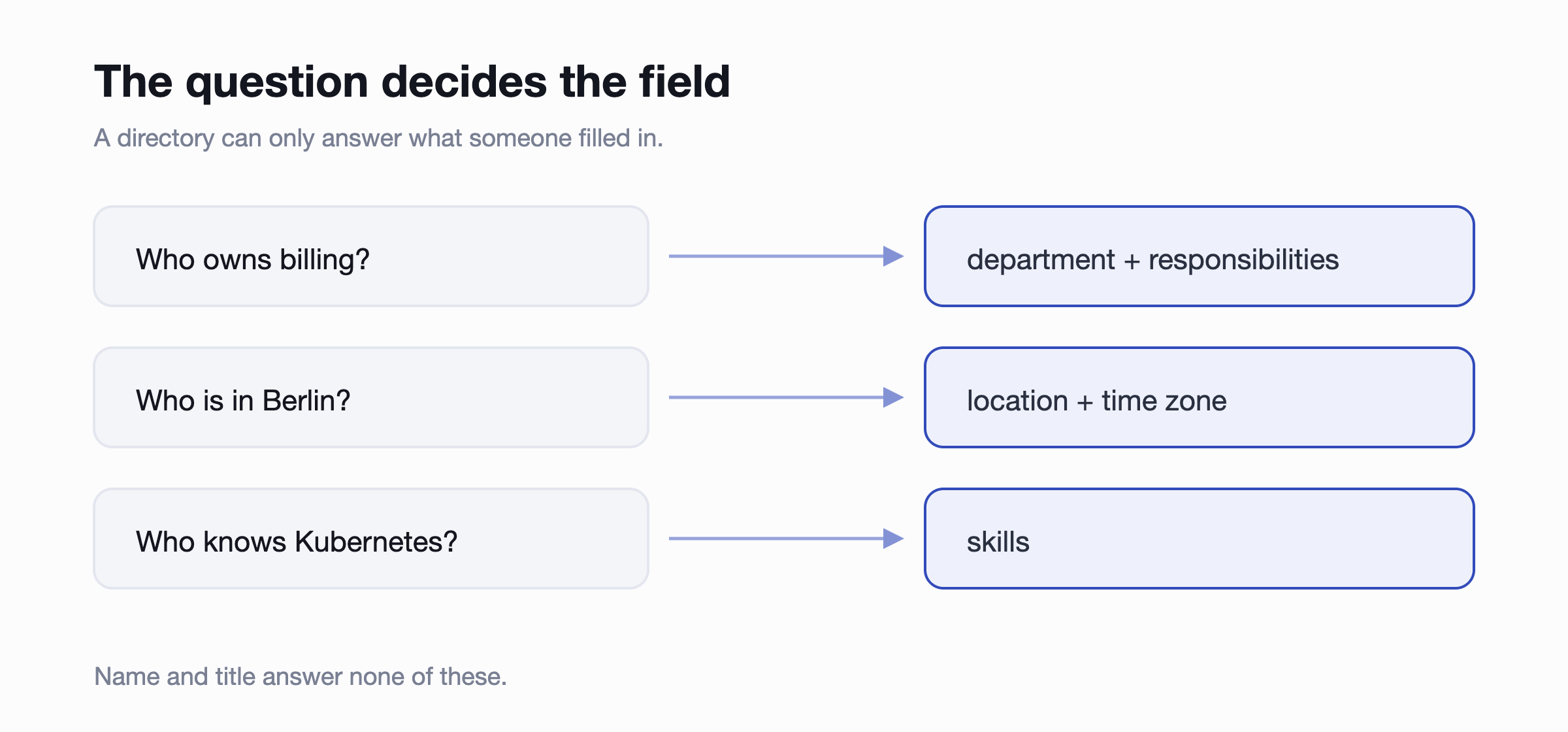
- Who do I ask about this? The expensive one. It's not about a person, it's about a responsibility, and it only works if the directory knows what people own rather than just what they're called.
- Who else knows this? Finding the two other people who've worked with the same system, the same client, the same country. This is the one that saves real time, and almost no small-company directory can do it.
A tool that only answers the first question is a phone book. That's fine, if a phone book is what you need. Just don't expect it to stop the interruptions.
Why most directories go stale
Directories fail in two different ways, and it's worth knowing which one you're at risk of, because the fixes are different.
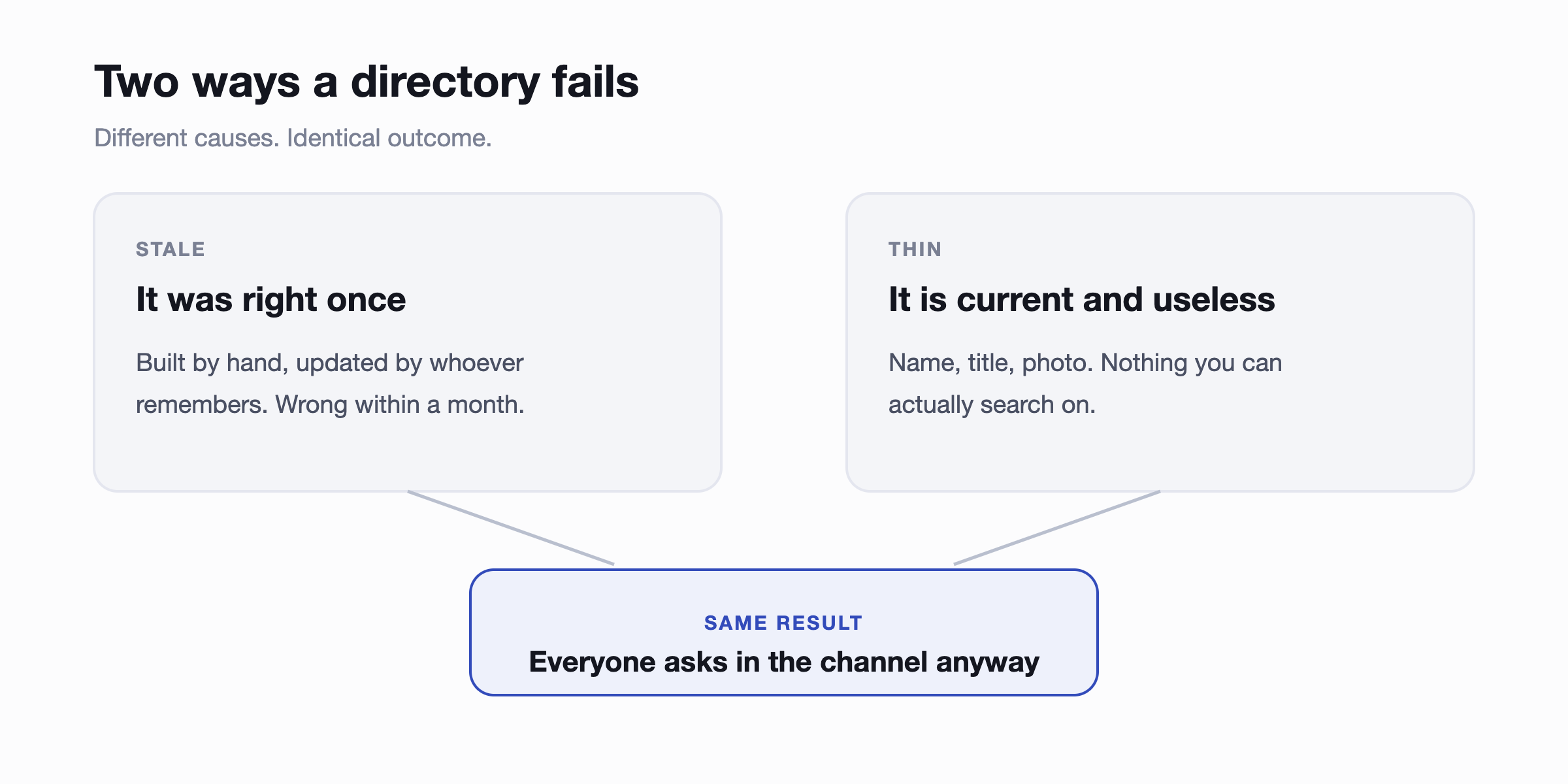
Stale is the familiar one. Someone built it, someone was supposed to maintain it, and that someone got busy. The data was accurate in March.
Thin is the one people miss. The directory syncs perfectly and is completely current, and it still doesn't help, because it holds names, titles and photos. None of that answers "who do I ask about this?" You can't search a job title for a responsibility.
Tools sold as directories usually solve one of these. Sync solves staleness. Rich profiles solve thinness. You need both, and the second one is harder, because it depends on people filling things in.
The two questions to ask any vendor
Where does the data come from?
Something has to be the source of truth. If you run an HRIS, that's it, and the directory should read from it rather than keep a second copy. If you don't, the practical source is your chat tool, because it's the one system that's genuinely current for everyone in the company.
What you want to avoid is a third list maintained separately from both. That's the one that rots, and you'll only notice when someone emails a person who left.
Who has to do something for it to update?
If the answer is a human remembering, it will be wrong. If joining, moving team or changing role updates it automatically, it stays right. And for the fields no system can know, like skills or what someone is currently working on, the tool should prompt the person directly rather than leave a gap for HR to discover later.
What to look for at 30 to 200 people
The feature lists you'll read are mostly written for much bigger companies. At your size this is the list that matters.
- Search on more than names. Skill, department, location, project. This is the difference between a phone book and a tool.
- Profiles worth reading. Title and manager are the floor. Responsibilities, skills, location, time zone and current work are what stop the interruptions.
- Automatic sync from your HRIS or chat tool, in that order of preference.
- Prompts for missing fields, aimed at the person who knows the answer.
- Permissions, because some fields shouldn't be visible or editable by everyone.
- It opens where people already are. A directory behind a separate login gets used during onboarding and never again.
What's not on that list: succession planning, compensation bands, headcount scenario modelling. Real features, genuinely useful at two thousand people, and the reason the enterprise tools cost what they do.
Intranet or chat tool: where it should live
Search for employee directory software and most of what you'll find is built for Microsoft 365: SharePoint web parts, directories that read from Entra ID, tools designed to sit on an intranet. If your company runs on Microsoft and people genuinely open SharePoint, those are a reasonable fit.
If your company runs on Slack, they aren't, and the reason isn't features. It's that the directory has to be open at the moment the question occurs. That moment is always inside a conversation. Anything that requires leaving the conversation loses to the cheaper option, which is typing "hey, who owns billing?" and interrupting four people.
This is the same reason intranets fill with accurate, unread content. The information being correct was never the bottleneck.
What the "who do I ask" tax costs
It's worth putting a number on this, because the cost is invisible. It never appears as a line item, it just shows up as everyone being slightly slower.
The most-cited figure comes from the McKinsey Global Institute's 2012 report on social technologies, which found knowledge workers spend around 20 percent of the week, roughly one working day, searching for and gathering information. That number is now fourteen years old and covers far more than finding people, so treat it as a sense of scale rather than a measurement of your company.
Your own numbers are more useful. This works out what the question costs across your team:
Assumes 46 working weeks and a 7.5 hour day. The point isn't the exact figure, it's that a question costing ten minutes twice a week is a full-time role you never hired.
Common questions
Isn't our HRIS already the directory?
It has the data, but almost nobody outside HR logs into it, so the information is right and unused. A directory sitting on top of it, in the tool everyone has open, is what makes it available to the people asking the questions. Keep the HRIS as the source of truth and sync from it.
What about Slack or Teams profiles?
They're the raw material, and they're better than nothing. What they lack is structure: no reporting lines, no consistent department field, no way to search by skill, and no way to make sure anyone fills them in. Most Slack-native directory tools build on those profiles rather than replacing them.
How do you get people to fill in their profiles?
You don't, by asking nicely in an all-hands. Two things work: pre-fill everything a system already knows so the person only completes the gaps, and prompt them at a moment when it's relevant, like their first week. A profile that arrives 80 percent complete gets finished. An empty form does not.
What should an employee directory include?
Start with what a system already knows: name, photo, title, department, manager, location, time zone and contact details. Then add the three fields no system can fill in for you, which are also the three that make it searchable: what the person is responsible for, what they're good at, and what they're working on now. If you're building from a spreadsheet template rather than a tool, those last three are the columns everyone leaves blank, and they're the ones that decide whether anybody uses it.
Do we need this under 30 people?
Probably not. Under about thirty, everyone knows who does what, and a channel question reaches the right person immediately. The tipping point is when new joiners start asking questions the whole company can answer but they can't.
Where to start
Write down the three questions your team actually asks most often. Not the ones a feature list suggests, the real ones from the last fortnight. Then check any tool you're considering against those three, and ignore everything else on the comparison table.
If your company runs on Slack or Teams, the shortest path is a directory that builds from the workspace you already have, then syncs from your HRIS when you get one. That's what Linky does, and more than a thousand HR teams run it that way. We also compared the main Slack org chart and directory apps if you want the field.
The directory is one half of the picture. The other half is the reporting structure it hangs on, which we covered in our guide to building an org chart that stays accurate, and both sit inside the broader question of which HR admin is worth automating first.