Best PTO Tracking Software to Track Vacation, Sick Leave & More
Discover the Best PTO tracking software in the industry for remote teams. Learn how vacation trackers will track all types of leave and automate leave requests.

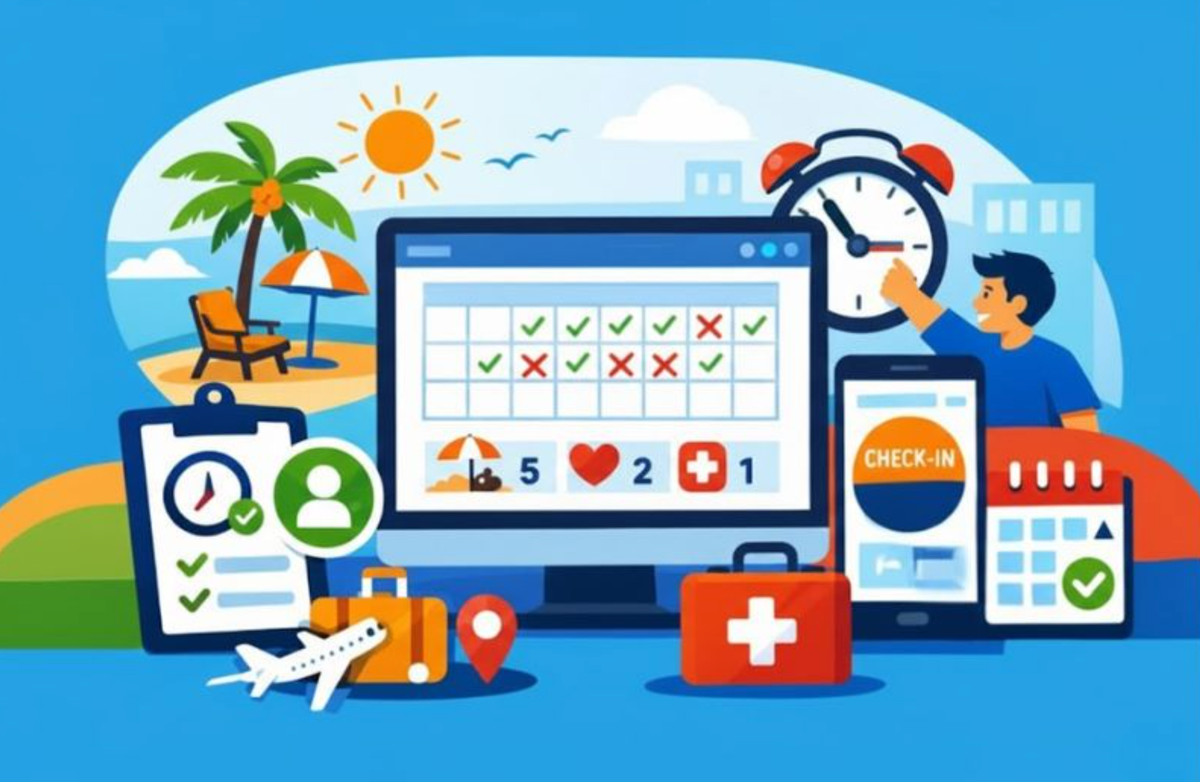
This year, do yourself a favor and ditch the Excel spreadsheet for tracking PTO (paid time off). It works fine for a while, but soon it becomes a big task to update and manage. We aim to set you free from this by introducing the best employee vacation tracking software currently on the market.
PTO tracking software doesn’t just relieve you of administration. It delves deeper than that. It provides you with a PTO employee self-service, historical vacation usage, and patterns you need to keep an eye on. Simply stated: Total leave management. If this is what you need, get started here 👇
Quick Overview
The best PTO tracking software allows you to create unlimited leave types, automate accruals and carryovers, configure approval workflows, and provide real-time notifications and reminders. Palmy Vacation, Vacation Tracker, Buddy Punch, and Connecteam meet these requirements and more for small and remote teams.
Table of Contents
- Snapshot: Best PTO tracking software
- Palmy Vacation
- Vacation Tracker
- Buddy Punch
- Conclusion
- FAQs: Best PTO tracking software
Snapshot: Best PTO tracking software
Palmy Vacation by BuddiesHR
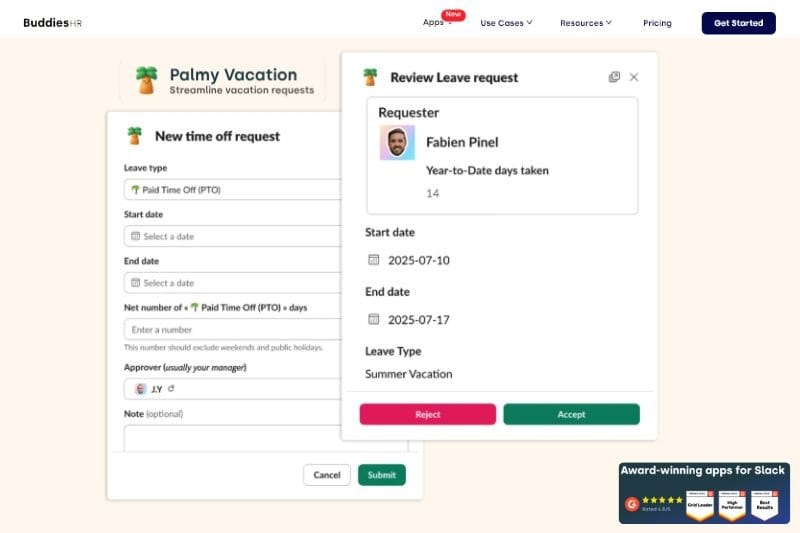
With Palmy Vacation, you stop wasting time and energy managing vacation requests immediately. Setup is achieved in just a few clicks, and it’s built to work in an environment that remote teams are familiar with - Slack. Your entire vacation policy is managed by Palmy Vacation, ensuring everyone gets a fair and transparent application process.
Key features: Palmy Vacation
Palmy is designed with one thing in mind - cutting out unnecessary fuss and giving you what works. Some time tracking software is bloated with features that small teams don’t need, but not Palmy. These essential features will give you full control of employee scheduling.
Personalize and manage vacation types
Palmy allows you to customize vacation types according to your own language, culture, and custom PTO policies. While it won’t dictate what you should call your leave types, it will take the administration off your hands once it’s set up.
Automate accruals and carryovers
Customize how and when vacation accrues, and whether there will be carryovers into the next year. Palmy will take it from there and automatically update PTO balances. You’ll always have visibility over leave balances, and so will your employees. No more answering: ‘How many vacation days do I have left?’
🔎 Deep dive: Understanding PTO rollover: Key insights for employers
One-click approvals
Quickly approve or reject PTO requests in Slack, while your team members get instant notifications of the decision.
Google Calendar and Slack sync
Get total visibility for your entire business as Palmy syncs approvals with the company-wide Google Calendar and Slack (paid plans only). This takes the burden of scheduling conflicts away from managers and places it in the hands of Palmy, which lets you know when schedules are overlapping.
History logs
Palmy keeps track of all time off requests and approvals. This ensures you’re always audit and compliance ready, and gives employees confidence that their requests and approvals are always recorded.
Why use Palmy Vacation?
Palmy Vacation joins BuddiesHR’s suite of award-winning apps on Slack. Designed for small and remote teams, it brings this essential function into your daily workspace. This means you keep the environment you’re used to, and customize it for your company culture. Palmy gives you more control over managing PTO without creating additional work. If you enjoy simple but powerful apps that save you time, then Palmy is a top contender.
Ready to integrate a PTO tracker into Slack for complete time off visibility? Start here with Palmy Vacation.
Vacation Tracker
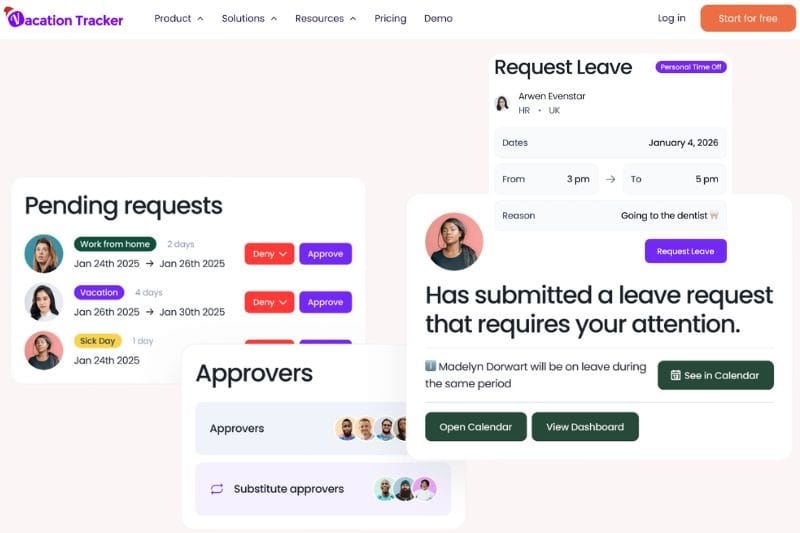
Vacation Tracker helps managers to save time, empowers teams to easily request time off, and provides a real-time dashboard for complete visibility over employee scheduling. Get basic time off features for the whole team, with the option of adding on advanced features like probation period leave, entitlement by role, leave duration limits, and visibility manager.
Key features: Vacation Tracker
Vacation Tracker operates independently as a web app and integrates with Slack, Google Workspace, and Microsoft Teams. Developed with complete team management in mind, it allows three access levels, namely: user, approver,and admin. Only those with access can approve or decline leave.
Customize leave types
Leave types can be fully customized to suit your company’s leave policies. When choosing a leave type, you can decide whether approval is required, set location applicability, and assign a quota for the number of people who can take the leave at once. Public holidays can be automatically imported based on your country. Once created, leave types can be turned off or deleted at any time.
Automate accruals and leave brought forward
Vacation Tracker allows you to set an accrual period, when the next accrual is awarded, and to enable an accrual cap. Any unused leave will be brought forward into the next year based on your settings. By activating an additional parameter, ‘Time off in Lieu’, you can allocate time off as compensation for overtime.
🔎 Deep dive: Guide to PTO accruals: Everything you need to know
Customize approval workflows
By setting up departments and appointing approvers for each department, you begin to develop your approval workflows. Users can be selected once departments are set up, and only one approver can be selected. This ensures tight control over ‘approve’ requests and eliminates confusion. Approvers are notified of a request the moment it is submitted, and it will also be sent to Slack or Teams.
Notifications sent to preferred channel (Slack, Google Workspace, MS Teams)
Vacation Tracker gives you full control over your notifications, so you can create as many (or as few) as you need. Customize each one by selecting who receives notifications and when they go out. If it feels like it's too much, you can easily edit notifications or turn them off.
Detailed reports
The dashboard provides real-time insights, and you can also generate detailed leave reports. Available reports are:
- Leave request report
- Leave balance report
- Monthly leave balance report
- Company audit logs
Why use Vacation Tracker?
Well-suited to companies that need to drill down into different countries, locations, departments, and teams, Vacation Tracker provides oversight without complication. Built to integrate with popular communication platforms such as Slack, Google Workspace, and Microsoft Teams, it offers excellent customization. This makes it feel like home while providing all the features you need to elevate your leave management.
Buddy Punch
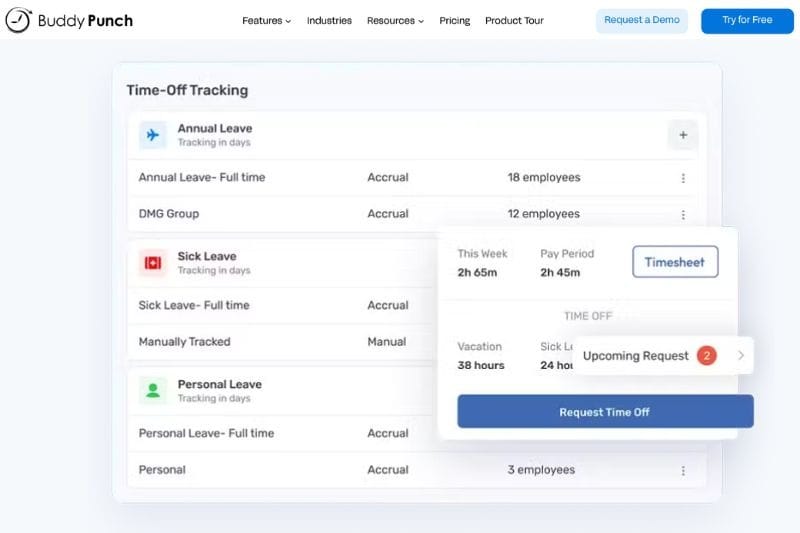
With Buddy Punch, you don’t just get time off tracking but also a heavy focus on workforce management. If your business needs to track work schedules, employee time off, and work hours in one centralized system, then Buddy Punch is the answer.
Key features: Buddy Punch
Buddy Punch has all the features of a traditional spreadsheet and PTO calendar setup, but it's better because it takes human error out of the equation. It doesn’t isolate PTO tracking from attendance tracking, scheduling, or payroll; instead, it presents it as a cohesive management process.
Custom PTO policies and leave types
PTO becomes messy when you’re managing a mix of part-time, full-time, and hourly employees. This is where you’ll need the broad customization provided by Buddy Punch. Using employee records as the basis for the customization, you can create leave types that are responsive to your business needs.
🔎 Expert help for managers: Paid time off company policy examples
Automated accruals and balances
Buddy Punch removes the guesswork and spreadsheets from time-off tracking. By setting up accrual rules for all employee types and then automating them, you ensure your teams' leave balances are always correct.
Whether it's parental leave, sick days, or jury duty - there’s nothing too tricky for Buddy Punch. Time off policies dictate what must be done, and then the system monitors every action, request, and approval so you don’t have to.
Integrated approval workflows
Time off management isn’t just about vacations. When one decision affects scheduling for tasks, projects, and important deadlines, you need a bird's-eye view. With integrated approval workflows, you get this. The system will help you to see how your decision will affect team availability.
Why use Buddy Punch?
Juggling pieces of information and making them work together isn’t anyone’s idea of fun. We’re talking about balancing attendance logs, Excel spreadsheets, scheduling tools, and payroll. Buddy Punch brings all the important parts of workforce management together in one cohesive system. Small businesses that are growing quickly will enjoy the expanded capabilities.
Conclusion
The best PTO tracking software on the market offers customization of leave types, automated accruals and carryovers, approval workflows, and real-time insights into PTO balances and time off trends. While our three top choices offer these standard features, they are designed for different structures and company objectives.
- Choose Palmy Vacation if: You want to integrate PTO tracking and approval into your Slack Workspace, streamline vacation approvals, and give your employees visibility of leave balances.
- Choose Vacation Tracker if: You need deep customization of leave in different locations, departments, and according to roles.
- Choose Buddy Punch if: PTO tracking is just one part of a bigger picture that includes time tracking, payroll, and you need it to work together seamlessly.
Before making your choice, it’s worth asking: ‘What breaks first when PTO isn’t well managed?’
The best option isn’t the one with the most impressive feature list. It’s the one that quietly removes friction from your business processes.
FAQs: Best PTO tracking software
1. Is PTO tracking software worth it for small businesses?
Absolutely. PTO tracking software automates leave requests, approvals, and PTO balances. This frees up valuable time and resources for a small business. It also removes the risks associated with manual processes - human error and inconsistencies. Employees feel more satisfied when the PTO process is transparent and automated, and they can see their own leave balances.
2. Does all PTO tracking software give mobile access?
No. Not all PTO trackers have a mobile app. It depends on the software’s functionality and the target market. However, platforms that integrate with PTO trackers often include mobile apps (Slack, Google, Microsoft Teams), allowing employees to view status updates and notifications. Popular time-tracking platforms with mobile functionality include Connecteam, BambooHR, and Timetastic.