Anonymous employee survey: a recipe to make it truly anonymous
An anonymous employee survey leaks through small slices, subtraction and comments. Here are three checks to run before you share any breakdown.

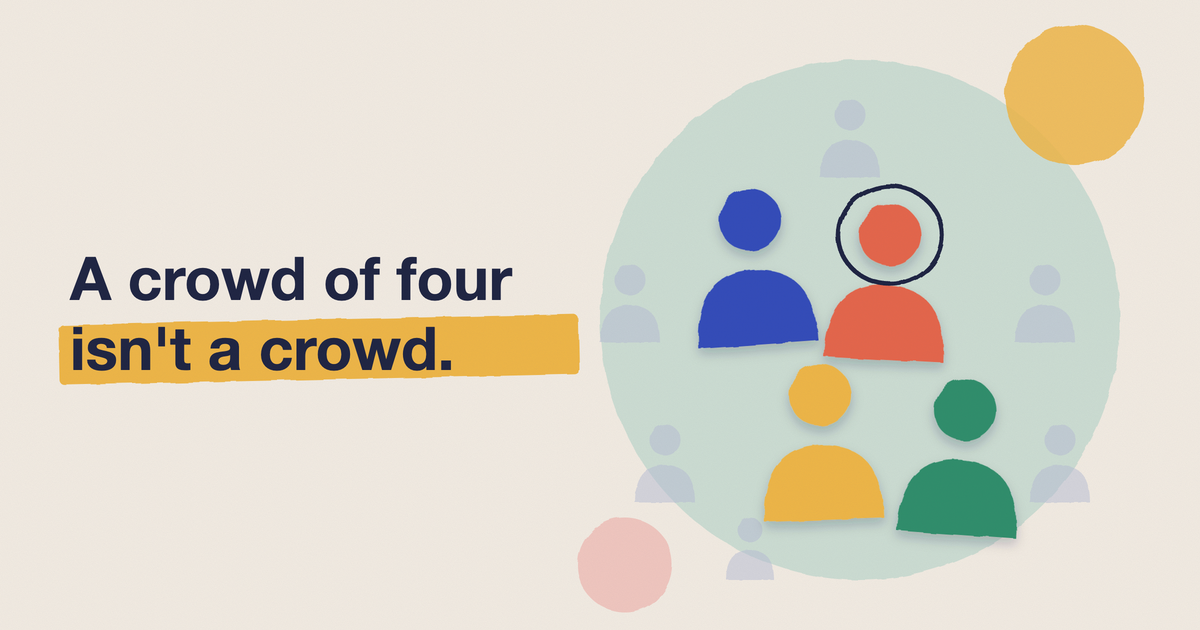
An anonymous employee survey promises one thing: nobody can tell who said what. Most tools keep that promise on paper and break it in the results, because a survey that lets you filter by team, tenure and location can describe one person without naming them. Hiding any group under five answers helps, but it isn't enough on its own.
This guide covers what makes a survey anonymous, three ways the anonymity quietly leaks, and what to check before you share a single breakdown. There's a free checker in the middle that tells you how many ways you can slice your own results before a group gives someone away.
What an anonymous employee survey is
In an anonymous survey, nobody can link an answer to a person, including HR and whoever administers the tool. A confidential survey is different: someone can see who answered, and promises not to say. PerformYard puts the test plainly: "It isn't anonymous if HR can technically see who submitted each response" (PerformYard, Anonymous employee survey).
Use anonymous for the topics where honesty is the whole point: engagement, manager feedback, how safe it feels to disagree. Use a named or confidential format when you need to follow up with one person, such as an exit survey. Don't mix the two in one send, because people will assume the stricter promise was the weaker one.
Gallup adds the part that decides whether any of it works. Surveys are often anonymous, but "perceived anonymity matters", and employees need to trust the process, not just the promise (Gallup, Employee Surveys).
Why anonymity changes the answers
Sogolytics, which sells survey software, reports from its own Experience Index that 59% of employees say anonymity makes them more likely to answer candidly, yet only 21% are very confident it's honoured (Sogolytics, Are employee surveys really anonymous). The page doesn't state a sample, so read it as a direction. The gap is the useful part: most people want anonymity and few believe they have it.
Gallup says what that costs. When employees don't believe their input is anonymous, response rates drop and the data becomes less reliable. So the job has two halves. You have to build anonymity, and you have to make it believable.
Believability is where the format matters. A survey that arrives as an email link to a separate tool, and asks you to sign in with your work account first, looks like it knows exactly who you are, whatever the privacy policy says. That's our view rather than research, but it's the portal fatigue problem again: the further the survey sits from where people work, the less they trust it and the fewer answer. A survey delivered as a message in Slack or Microsoft Teams, with the anonymity setting shown before anyone answers, removes both the detour and the doubt.
Three ways an anonymous survey gets un-anonymised
Slicing: every filter is harmless until you combine them
Filter by team and you see a group. Filter by team, then tenure, then location, and you see a person. Latanya Sweeney showed how little it takes. In a 2000 study using 1990 Census data, about 87% of the US population was likely uniquely identified by just five-digit ZIP code, gender and date of birth (Sweeney, Simple Demographics Often Identify People Uniquely). A company isn't a country, so the same logic bites much faster. In a 60-person company, "Design, joined this year, Lisbon" is probably one human being.
Subtraction: hiding a group doesn't hide its score
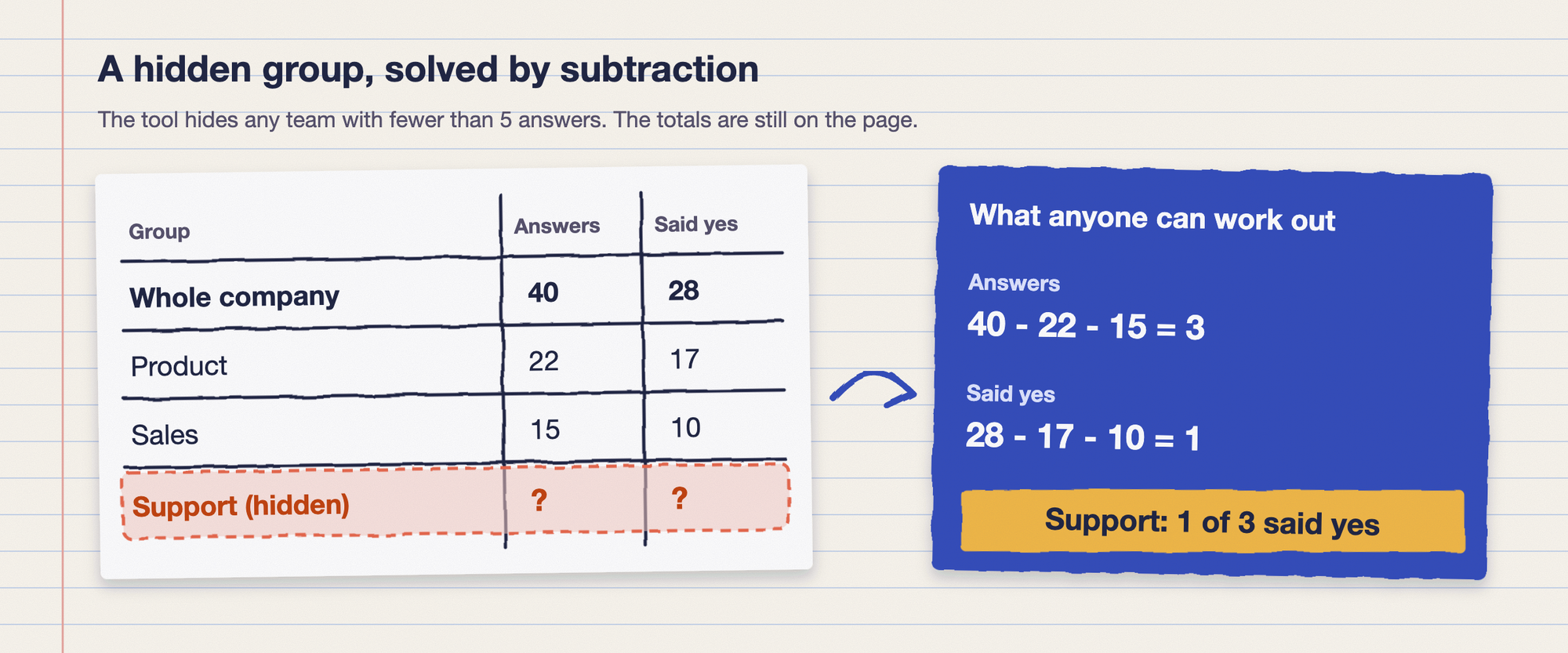
The usual fix is a minimum group size: don't show any group with fewer than five answers. Gallup, Sogolytics and Lattice all point to five as the common default, and Lattice says its default threshold is five users (Lattice, Anonymous employee surveys). That stops the obvious leak. It doesn't stop the arithmetic one.
If the company total and every other team are visible, the hidden team is whatever is left. Culture Amp's support documentation describes this risk and offers settings that hide the next-smallest group as well, so the hidden group can't be worked out from the others (Culture Amp, Confidentiality protections in reporting). Here is the same problem with our own numbers.
Comments: the words give you away faster than the numbers
Open-text answers carry project names, office locations and phrases only one person uses. Attest advises reviewing qualitative answers for accidental identifiers, such as a mention of a specific project or location, especially in small teams (Attest, Anonymous surveys). Gallup notes that identifying individuals through comments is discouraged and often restricted. Treat comments as the last thing you check, and the thing most likely to fail.
Check your own survey
Before you send, check how many ways your results can be cut. The checker below uses your headcount, your expected response rate and the filters you plan to offer. Nothing is sent anywhere.
Anonymity checker
Change any input and the results update.
Answers you can expect
42
This is rough arithmetic, not a guarantee. It assumes slices are the same size, and real groups are uneven, so your smallest slice will be smaller than the average shown. It doesn't check comments or subtraction.
With the defaults, 60 people at a 70% response rate give you 42 answers. That supports at most eight equal slices, so locations and tenure can be combined but all three filters together make 48 slices from 42 answers. The four-person team stays hidden at about three expected answers. The numbers are ours and deliberately rough. They're there to stop you switching on every filter because the dashboard offers it.
Set the rules before you send
Four decisions, made before the survey goes out, do most of the work.
- Pick a minimum group size and say it out loud. Five is the common default. Apply it to comments too, counted in people rather than comments, which is how Culture Amp's comment minimum works.
- Cap the filters. Use the checker's slice number as the limit. If your response rate is 70% and the cap is eight, a three-way cut isn't a feature, it's a leak.
- Collect fewer demographics. Attest recommends broad categories such as grouped tenure ranges and general team names, and warns against niche roles or exact titles in a small team. Ask only for what you'll actually report on.
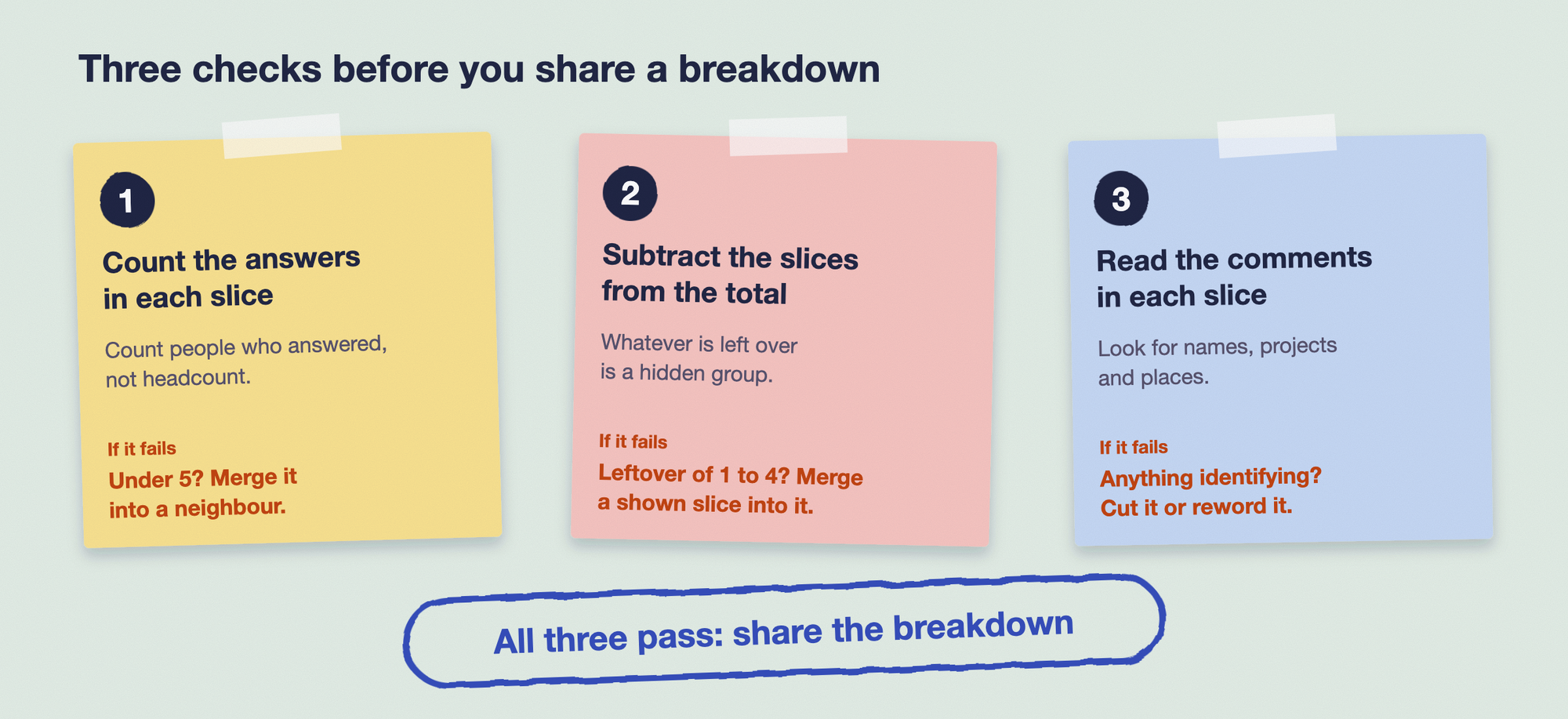
- Merge, don't just hide. When a group is too small, fold it into a neighbour so there is no hidden remainder to subtract.
Then run the same three checks every time before anything leaves your hands, including screenshots and exports.
Tell people what you collect
Perceived anonymity is built in the invitation, not the settings page. Say three things in plain words: what the tool records, what it doesn't, and the smallest group you'll ever report. For example: "Answers are never linked to your name. We only show a group when at least five people in it answered. Comments are read for anything identifying before they're shared."
Then keep the promise visibly. When the results come back, show the group-size rule in the report and mention what you merged. People who see the rule applied once have a reason to believe it the next time.
Running an anonymous employee survey in Slack or Teams
Pulsy sends surveys and polls as a Slack or Microsoft Teams message, and anonymity is a per-survey and per-poll setting that employees can see before they answer. In an anonymous survey, responses are never linked to a name, and groups under five stay private in the breakdowns. You can segment results by team, tenure or location, but only for groups of five or more. Pulsy's smart notifications and reminders drive an 80%+ response rate, which is BuddiesHR's own product data, not independent research.
Hiding groups under five is the first of the three checks above. Subtraction and comments are still yours to look at before you share a screenshot, and it's a question worth putting to any tool you evaluate, ours included. Pulsy is free under 10 employees, and 1,000+ HR teams use BuddiesHR, which has a 4.8/5 rating on G2.
Install Pulsy free and send your first anonymous survey this week. For the full survey plan, start with employee engagement survey, and for short recurring checks see pulse survey. If anonymity is mostly a trust problem on your team, read psychological safety at work, and for the setup steps see how to collect anonymous feedback in Slack. The use-case view is on the measuring engagement page.
FAQ
Can an employee survey be truly anonymous?
Mostly, yes, if the tool doesn't collect identity and your groups are large enough. The weak points are small slices, subtraction and comments, not the collection itself. Check those three before you share results.
What is the minimum group size for an anonymous survey?
Five is the common default. Gallup uses five or more as its example, Sogolytics says not to display results for any group under five, and Lattice's default threshold is five users, with a minimum of three. Below that, a result can point at one person.
What's the difference between an anonymous and a confidential survey?
In an anonymous survey nobody can link answers to people. In a confidential survey someone can, and promises not to say. Use confidential only when you need to follow up with an individual.
Do anonymous surveys get more responses?
Sogolytics claims they get 20 to 30% higher response rates than named ones, but gives no source, so we wouldn't repeat the figure as fact. Gallup's point is the one that holds up: people respond when they believe the anonymity is real.