What is an HRIS? And why most employees never open it
What is an HRIS? What it holds, how it differs from an HRMS and HCM, why most employees never open one, and a check for whether you need one.

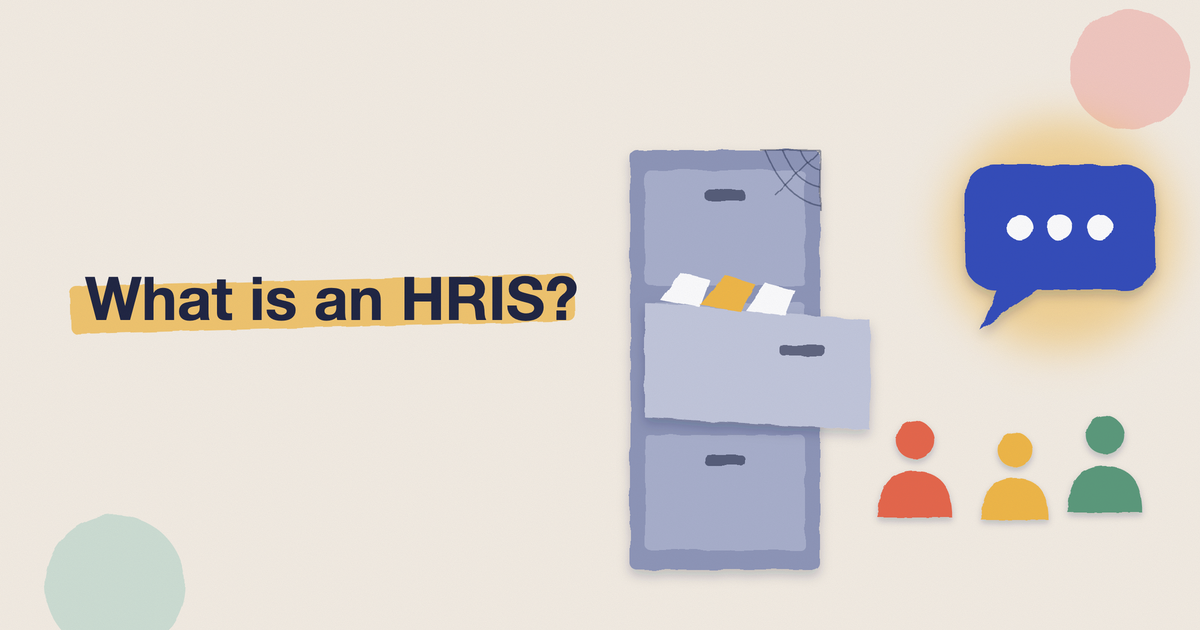
An HRIS (human resources information system) is the software that holds your company's official employee records: who works here, in what role, for which manager, at what pay, since when, with which benefits and how much time off. It's the system of record for people data, and it feeds payroll, compliance and reporting.
That definition is the easy part, and every page on this topic gets it right. What they skip, because most of them are written by HRIS vendors, is how few employees ever open one. This guide covers what an HRIS does, how it differs from an HRMS and an HCM suite, and a quick check for whether you need one yet. It also covers the part the vendors leave out: what to put where your team actually spends its day.
What is an HRIS?
An HRIS is a database with an HR workflow on top. At its core sits one record per employee, and around that record sit the processes that change it: hiring someone creates it, a promotion edits it, a leave request reads from it, a resignation closes it. Payroll, benefits providers and reporting tools pull from the same record, so the numbers agree everywhere.
The word that matters is "official". When finance asks for headcount, when an auditor asks for start dates, or when someone asks who reports to whom, the HRIS is meant to be the answer nobody argues with. If your answer today is "it depends which spreadsheet", that's the problem an HRIS solves.
What does HRIS stand for, and what does it hold?
HRIS stands for human resources information system. Some vendors say "human resource information system", singular. Same thing. A typical HRIS holds:
- Personal and contact details: legal name, address, emergency contacts, date of birth.
- Job data: title, department, manager, location, employment type, start date.
- Compensation: salary or rate, pay history, bonus records.
- Benefits: enrolment, dependants, plan changes.
- Time off: balances, accrual rules, approved leave.
- Documents: contracts, signed policies, tax forms.
Most of that is sensitive, which is why access is locked down and why the HRIS is usually the last place a company wants five different tools writing to.
What an HRIS does: the core functions
Vendors package features differently, but the core functions of an HRIS are fairly stable:
- Employee records management. One profile per person, with a history of every change.
- Onboarding and offboarding admin. Collecting documents, triggering accounts, closing records when someone leaves.
- Payroll connection. Either built in or synced to a payroll provider, so pay runs from the same job and salary data.
- Benefits administration. Enrolment windows, eligibility, changes after life events.
- Time off and attendance. Policies, accruals and balances. If you're still on a spreadsheet, our PTO accrual calculator covers the maths in the meantime.
- Compliance and reporting. Headcount, turnover, the reports a growing company gets asked for.
- Employee self-service. A portal where employees update their address, see payslips and request time off.
Hold on to that last item. It's the one that looks best in a demo and gets used least in practice.
HRIS vs HRMS vs HCM
Three acronyms, used loosely enough that vendors sometimes swap them on the same page. The cleanest way to read them is as rings of scope, each one containing the last.
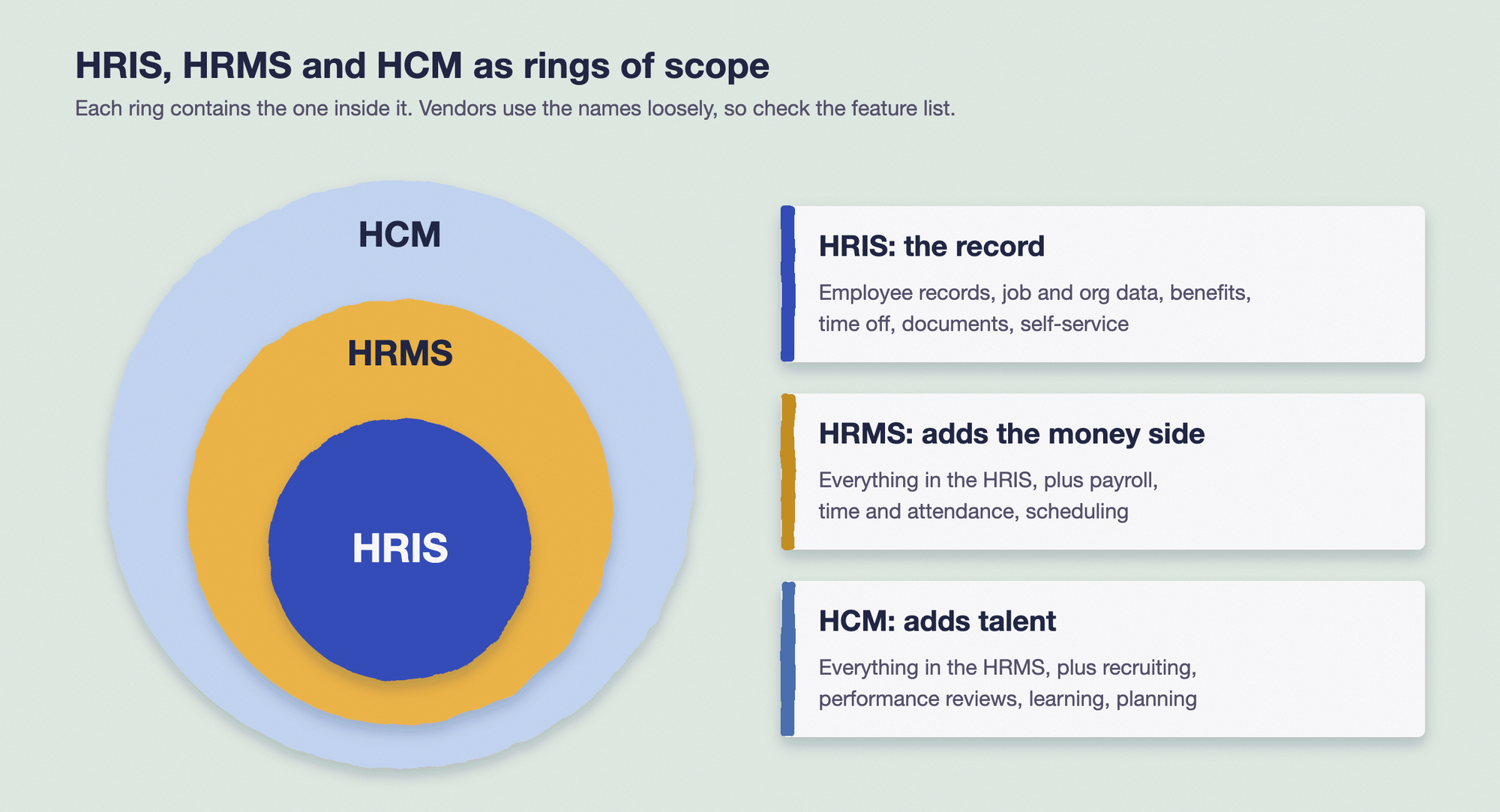
- HRIS: the records and the admin around them. The system of record.
- HRMS (human resource management system): an HRIS plus payroll and time tracking, so the money side runs in the same tool.
- HCM (human capital management): an HRMS plus talent: recruiting, performance reviews, learning, workforce planning. This is where the enterprise suites live.
For a company of 30 or 300, the useful question isn't which acronym you're buying. It's which parts you need now, and which parts would be better somewhere else.
Why most employees never open the HRIS
Here's the number no vendor glossary includes. According to a 2022 Gartner survey, the average HRIS is used by only 32% of employees (as reported by SHRM). The same SHRM piece cites Sapient Insights Group research finding that nearly one in four organizations say new HR tech implementations fail to meet adoption expectations.
And the people who do log in don't always have a good time. In a February 2024 survey of more than 1,200 employees, Gartner found 69% had hit at least one barrier when interacting with HR technology in the previous 12 months (Gartner, 2024).
None of this means the HRIS is badly built. It means it's built for HR.
An employee has a handful of reasons a year to open it: a new address, a payslip, open enrolment. Meanwhile their actual working day is spent somewhere else. Microsoft's telemetry shows the average Microsoft 365 user spends 57% of their time communicating, in meetings, email and chat, against 43% creating (Microsoft Work Trend Index, 2023). For most teams, that's Slack or Microsoft Teams, open all day.
That gap is fine for payslips. It's fatal for anything that needs people to take part every week: recognition, pulse surveys, time off requests, finding who does what. Put those behind the HRIS login and they inherit the 32%. It's the same portal fatigue that sinks engagement surveys, which is why we keep saying response rate is a delivery problem before it's a question problem.
The system of record and the place people work
So the honest way to think about an HRIS is as one of two layers. The HRIS is the record. Your chat tool is where people work. The mistake is asking either one to do the other's job.
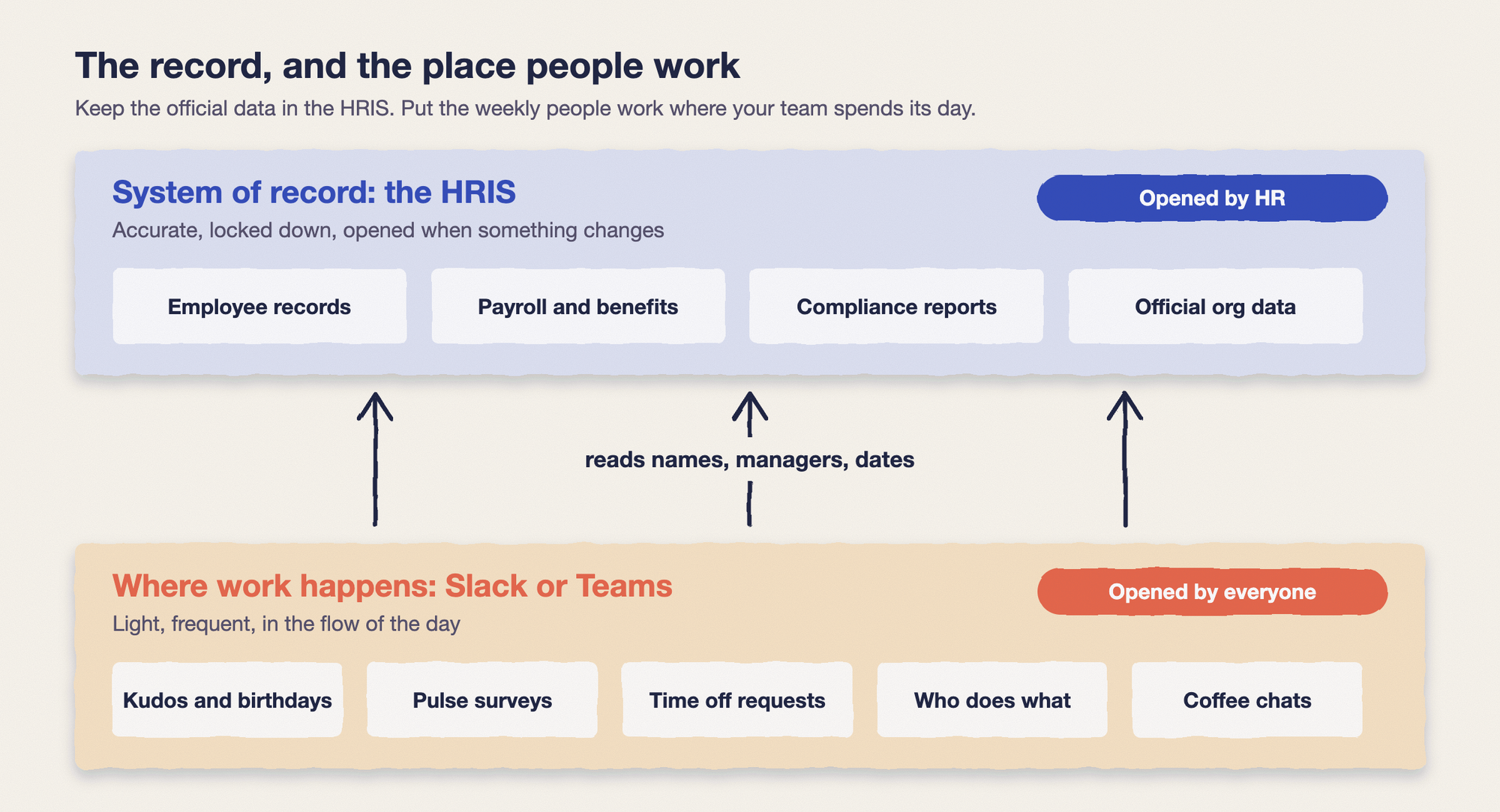
The top layer should be boring, accurate and locked down. The bottom layer should be light, frequent and in the flow of the day. When the two are connected, the HRIS gets to be the single source of truth without anyone having to visit it, and the chat layer gets correct names, managers and dates without anyone retyping them.
Do you need an HRIS yet?
Plenty of small companies buy an HRIS too early, usually because someone reasonably asked "where do we keep employee data?" and a demo answered first. Plenty of others wait too long and spend a week rebuilding headcount from three spreadsheets before a board meeting. Answer the six questions below for a quick read. It's our rule of thumb, not research, but it weighs the things that tend to force the decision.
Do you need an HRIS yet?
Six questions. Tap yes or no. The answer updates as you go.
Our rule of thumb, not a study. Nothing you enter is sent anywhere.
If you came out at "not yet", that's a perfectly good place to be. Our guide to HR software for small businesses covers what's worth buying first, and our free library of 300+ HR policy examples covers the documents you'll want either way.
What to run before, or alongside, an HRIS
Whether you buy an HRIS this quarter or in two years, the people work your team does every week doesn't need to wait for it. And it shouldn't live inside it, for the reasons above. An HRIS selection and rollout can run for months. Getting birthdays, kudos and an org chart running in Slack takes an afternoon.
Sched is a good example. They're 32 people, fully remote across five regions, with no HR team. Culture work used to land on the CEO's calendar.
They now run six BuddiesHR apps in Slack, for birthdays, kudos, coffee chats, surveys, the org chart and standups. In the words of Marvin McTaw, Sched's CEO: It allowed me to automate the processes and free up time while we still run effectively without an HR team. (Sched case study)
When you do have an HRIS, the job of the chat layer changes from "be the record" to "read from the record". Two examples from our own apps, as our help center describes them today:
- Linky puts an org chart and employee directory in Slack, with /whois to look anyone up. Our support team can import your team from a spreadsheet, or set up a daily sync of the org chart from BambooHR or Google Workspace, so the chart in Slack follows your system of record instead of drifting from it. Linky is Slack only for now. More on why charts drift in our org chart software guide.
- Billy posts birthdays and work anniversaries in Slack or Microsoft Teams. In Slack, it can read those dates from Linky, which can sync them from BambooHR, Lattice or Google Workspace, instead of asking each person.
The same logic runs through the rest of the people work that HR owns. Time off requests can be approved in a thread, and an eNPS question can arrive as a chat message rather than an email link. For the full picture of what's worth automating when HR is one person, see our guide to HR automation for small businesses.
1,000+ HR teams use BuddiesHR and it holds a 4.8/5 rating on G2 (BuddiesHR's own figures). Each app installs free in about a minute, it's free under 10 employees, there's a 30-day trial, and the pricing page has the current structure. Install Linky free in Slack, or start with Billy if your team is on Teams.
How to choose an HRIS without buying another portal
Every buyer's guide covers features, price and support. Those matter. These five questions get asked less often and save more pain later:
- Can other tools read from it? Ask which integrations exist today, not on the roadmap, and whether data flows out as well as in.
- What does an employee have to do in it, and how often? Every task that needs a weekly login will run at portal participation rates. Move those somewhere else.
- Can you get your data out? A full export, in a format another system can read, without a services contract.
- What does implementation actually involve? Weeks of setup for a 40-person company is a warning sign, not a feature.
- Are you paying for rings you won't use? If the quote includes performance, learning and recruiting modules, check you need all three. Suites are priced for the whole ring.
FAQ
What are some examples of an HRIS?
BambooHR, HiBob, Personio, Rippling and Gusto are common choices for small and mid-sized companies. Workday and UKG sit at the enterprise end, usually sold as broader HCM suites. Some payroll providers include enough HR records to act as a light HRIS on their own.
Is an HRIS the same as payroll software?
No, though they overlap. Payroll software calculates and pays salaries and taxes. An HRIS holds the employee records payroll runs on: job, pay rate, start date, bank details. Many HRIS products include payroll or sync with a provider, which is where the HRMS label comes from.
How much does an HRIS cost?
Most are priced per employee per month, often with a minimum and sometimes with a setup or implementation fee. Prices change often and many vendors quote rather than publish, so compare the current pricing pages and check what's included in each tier before you compare totals.
Does a small business need an HRIS?
Not always. Under a few dozen people with one country and a payroll provider that holds core records, a well-kept spreadsheet often does the job. The triggers that usually change that are multiple countries, employee data spread across several tools, and regular reporting requests. Try the checker above for a quick read.